Ethical Hacking & Cybersecurity Fundamentals
About Course
Course Description
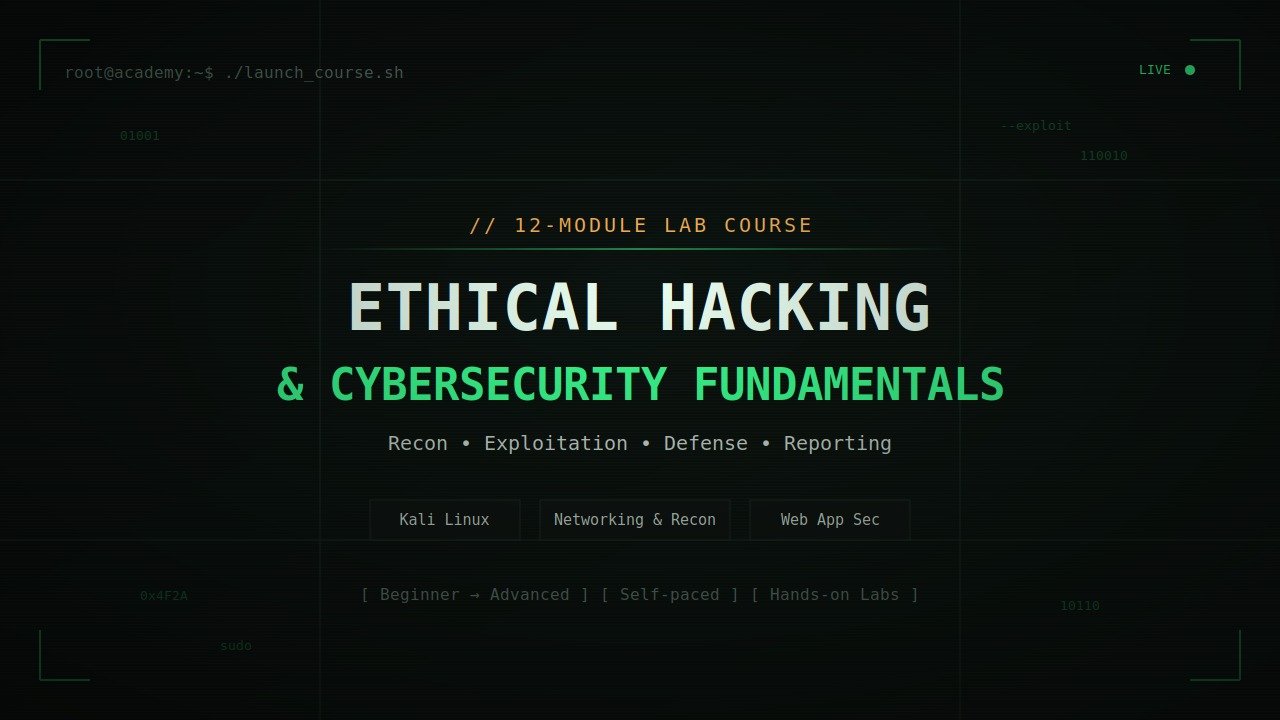
Ethical Hacking & Cybersecurity Fundamentals is a hands-on, 12-module course that takes you from networking basics to running a full penetration test — all inside a safe, legal lab environment.
You’ll start by setting up your own hacking lab with Kali Linux and vulnerable practice machines, then build up real skills step by step: scanning networks, gathering intelligence on targets, finding web application flaws, cracking passwords, exploiting wireless networks, and understanding how malware and social engineering actually work. Along the way you’ll also learn the defensive side — cryptography, incident response, and how security teams detect and respond to attacks.
By the end of the course, you’ll work through practice rooms on platforms like TryHackMe and Hack The Box, build your own capture-the-flag challenge, and write a professional penetration test report — the same kind of deliverable used in real security assessments.
Who it’s for: IT and networking professionals, developers, students, or anyone curious about how systems get attacked and defended — no prior security experience required, though basic computer literacy helps.
What you’ll need: A computer capable of running a virtual machine (8GB+ RAM recommended), and a willingness to practice only on systems you own or are explicitly authorized to test.
What you’ll be able to do after this course:
- Set up and use a personal penetration-testing lab
- Scan, enumerate, and assess systems for vulnerabilities
- Identify and explain common web app, network, and wireless attack vectors
- Understand cryptography and secure communication fundamentals
- Recognize and respond to security incidents
- Produce a professional-grade penetration test report
⚠️ This course teaches offensive security techniques strictly for educational and authorized testing purposes. Always obtain explicit written permission before testing any system you do not own.
Want me to drop this into the HTML page as well (e.g., right under the hero section), or keep it as a separate piece of copy for a course listing/marketing page?
What Will You Learn?
- Here's what you'll learn by completing this course:
- **Foundations & Setup**
- - The difference between white hat, black hat, and grey hat hacking — and the legal/ethical boundaries of each
- - How to build and use your own penetration testing lab (Kali Linux, VirtualBox, vulnerable VMs)
- - Linux command line fundamentals needed to operate hacking tools
- **Networking & Reconnaissance**
- - How data moves across networks (TCP/IP, OSI layers, ports, protocols, DNS, DHCP)
- - How to capture and analyze network traffic with Wireshark
- - How to gather intelligence on a target using OSINT tools, Google dorking, and DNS/WHOIS lookups — without ever touching their systems directly
- **Scanning, Enumeration & Exploitation**
- - How to scan networks and discover live hosts, open ports, and running services using Nmap
- - How to run vulnerability scans (Nessus, OpenVAS) and enumerate services like SMB, FTP, and SNMP
- - The theory behind password attacks, privilege escalation, and how malware operates
- **Web Application Security**
- - How to identify the OWASP Top 10 web vulnerabilities
- - The mechanics behind SQL injection and Cross-Site Scripting (XSS)
- - How to test web apps for authentication and session weaknesses using Burp Suite
- **Wireless & Human-Layer Attacks**
- - How Wi-Fi security evolved (WEP → WPA → WPA2 → WPA3) and where each is vulnerable
- - Common wireless attack techniques and how to harden a wireless network
- - How phishing, pretexting, and baiting work — and the psychology behind why people fall for them
- **Cryptography & Cloud/IoT Security**
- - The difference between symmetric and asymmetric encryption, and how hashing protects data
- - How SSL/TLS and PKI make secure web communication possible
- - Common cloud misconfigurations (AWS/Azure) and IoT device vulnerabilities
- **Defense & Real-World Application**
- - How organizations detect and respond to attacks (IDS/IPS, SIEM, log analysis, incident response lifecycle)
- - The basics of digital forensics after a security incident
- - How to apply everything you've learned on legal platforms like TryHackMe and Hack The Box
- - How to write a professional penetration test report — the real deliverable used in the cybersecurity industry
- **By the end, you'll be able to:**
- ✅ Set up and operate your own ethical hacking lab
- ✅ Perform reconnaissance, scanning, and vulnerability assessment on a target
- ✅ Understand and identify common web, network, and wireless attack vectors
- ✅ Apply cryptographic concepts to evaluate secure communications
- ✅ Recognize and respond to security incidents from a defender's perspective
- ✅ Produce a professional, client-ready penetration test report
Course Content
1. Foundations
**Foundations** is the first module of the course — it's the groundwork everything else builds on, before you touch any actual hacking techniques. It covers:
**1. Ethical hacking overview & hacker classifications**
What "ethical hacking" actually means, and the difference between:
- **White hat** — security professionals who hack with permission to find and fix flaws
- **Black hat** — malicious hackers who break in illegally for personal gain
- **Grey hat** — somewhere in between, sometimes hacking without permission but without malicious intent
**2. Cybersecurity laws, ethics, and certifications**
- What's legal vs. illegal when it comes to testing systems (a huge deal — hacking something without authorization is a crime in most countries)
- Professional codes of conduct
- Industry certifications worth knowing about: **CEH** (Certified Ethical Hacker), **OSCP** (Offensive Security Certified Professional), **CompTIA Security+**
**3. Lab setup**
Getting your actual practice environment running:
- **VirtualBox or VMware** — software to run virtual machines on your computer
- **Kali Linux** — the go-to operating system for penetration testing, pre-loaded with hacking tools
- **Metasploitable** — an intentionally vulnerable virtual machine you're allowed to legally attack for practice
**4. Linux fundamentals & command line basics**
Since almost all hacking tools run on Linux, you'll learn the basic commands needed to navigate, manage files, and run tools from the terminal.
**The point of this module:** before you can ethically and legally test anything, you need to understand the rules of the game, get your tools installed, and be comfortable enough with Linux to actually use them.
Want me to break down any of the other modules the same way?
Networking Basics
**Networking Basics** is Module 2 — it teaches you how computers actually talk to each other over a network, which is essential because almost every hacking technique (scanning, sniffing, exploiting, intercepting) depends on understanding how network traffic works. It covers:
**1. TCP/IP model & OSI layers**
The two foundational frameworks for how data moves across networks:
- **OSI model** — a 7-layer theoretical model (Physical, Data Link, Network, Transport, Session, Presentation, Application)
- **TCP/IP model** — the simplified, real-world 4-layer model the internet actually runs on
Understanding these layers helps you know *where* an attack or vulnerability happens — e.g., is it a network-layer issue (like IP spoofing) or an application-layer issue (like a web exploit)?
**2. Ports, protocols, DNS, DHCP**
- **Ports** — numbered "doors" on a device (e.g., port 80 for web traffic, port 22 for SSH) that services listen on
- **Protocols** — the rules for communication (HTTP, FTP, SSH, SMTP, etc.)
- **DNS (Domain Name System)** — translates domain names (like google.com) into IP addresses
- **DHCP (Dynamic Host Configuration Protocol)** — automatically assigns IP addresses to devices on a network
This matters because attackers scan ports/protocols to find open doors, and DNS/DHCP are common attack targets (DNS spoofing, rogue DHCP servers).
**3. Subnetting and routing**
- **Subnetting** — dividing a network into smaller sub-networks (helps you understand IP ranges and network structure)
- **Routing** — how data finds its way from one network to another via routers
Knowing this helps you map out a target network and understand how traffic flows through it.
**4. Packet analysis with Wireshark**
**Wireshark** is a tool that captures and inspects network traffic packet-by-packet. You'll learn to:
- Capture live traffic on a network
- Inspect individual packets (headers, payloads, protocols used)
- Spot suspicious or unencrypted traffic (e.g., plaintext passwords)
**The point of this module:** you can't hack — or defend — a network you don't understand. This module gives you the mental map of how data travels, so later modules (scanning, sniffing, exploiting) actually make sense instead of feeling like magic.
Want me to go through Module 3 (Information Gathering) next?
Information Gathering (Recon)
**Information Gathering (Recon)** is Module 3 — it's the very first real step in any actual hacking engagement (legal or illegal). Before you can attack anything, you need to learn as much as possible about your target. This is often the most time-consuming and most important phase, since the more you know, the easier everything later becomes. It covers:
**1. Passive vs active reconnaissance**
- **Passive recon** — gathering information *without* directly interacting with the target's systems (so it's undetectable). Example: looking at a company's public website, social media, or job postings.
- **Active recon** — directly probing the target's systems (e.g., pinging a server, visiting their site in unusual ways). This is detectable, since it touches their infrastructure.
Knowing the difference matters because passive recon is low-risk/stealthy, while active recon gets you more detail but can trigger alarms.
**2. OSINT tooling (theHarvester, Shodan, Maltego)**
**OSINT** = **Open Source Intelligence** — gathering data from publicly available sources. Key tools:
- **theHarvester** — pulls emails, subdomains, and employee names from search engines and public records
- **Shodan** — a search engine for internet-connected devices (servers, webcams, routers) — often called "the search engine for hackers"
- **Maltego** — a visual tool that maps relationships between people, domains, companies, and infrastructure
**3. Google dorking**
Using advanced Google search operators (like `site:`, `filetype:`, `intitle:`) to find specific, often sensitive information that's publicly indexed but not meant to be easily found — like exposed login pages, configuration files, or leaked documents.
**4. WHOIS & DNS enumeration**
- **WHOIS** — a lookup that reveals who registered a domain (owner info, registration dates, name servers)
- **DNS enumeration** — discovering all the subdomains, mail servers, and DNS records tied to a domain, which often reveals hidden parts of an organization's infrastructure
**The point of this module:** good recon is like a detective building a case before making a move. The information gathered here — domains, employees, technologies in use, exposed services — feeds directly into the next module (Scanning & Enumeration), where you start probing those discovered targets more directly.
Want me to continue with Module 4 (Scanning & Enumeration)?
Scanning & Enumeration
**Scanning & Enumeration** is Module 4 — this is where you move from *gathering information about* a target to *actively probing* it to map out exactly what's running and where the weak points might be. If Recon told you *what exists*, Scanning & Enumeration tells you *what's actually reachable and exploitable*. It covers:
**1. Nmap fundamentals: host discovery, port scanning**
**Nmap** is the industry-standard network scanning tool. You'll learn:
- **Host discovery** — finding which devices on a network are actually online and reachable
- **Port scanning** — checking which ports (the numbered "doors" on a device) are open, closed, or filtered — open ports often mean running services that could be attacked
**2. Service & version detection**
Once you know a port is open, you need to know *what's* running on it and *which version*. For example, finding port 21 open tells you FTP is running — but knowing it's running an old, outdated FTP server version tells you it might have known, exploitable vulnerabilities.
**3. Vulnerability scanning with Nessus / OpenVAS**
- **Nessus** and **OpenVAS** are automated vulnerability scanners — they take everything discovered (open ports, services, versions) and cross-reference it against databases of known vulnerabilities (CVEs), flagging anything risky.
This turns raw scan data into an actual list of "here's what's likely vulnerable on this system."
**4. Enumerating SMB, FTP, SNMP services**
**Enumeration** goes a level deeper than scanning — actively extracting detailed information from specific services:
- **SMB** (Windows file-sharing protocol) — can reveal shared folders, usernames, even passwords if misconfigured
- **FTP** (file transfer protocol) — can reveal accessible files, sometimes allowing anonymous logins
- **SNMP** (used for network device management) — can leak device configs, network details
**The point of this module:** Recon told you the target exists and gave you general context (domains, emails, infrastructure). Scanning & Enumeration gets specific — open ports, exact services, exact versions, and detailed configs. This is the bridge between "knowing about" a target and having the concrete technical details needed to actually attempt an exploit, which is what the next module (System Hacking Concepts) builds on.
Want me to continue with Module 5 (System Hacking Concepts)?
System Hacking Concepts
**System Hacking Concepts** is Module 5 — this is where the course shifts from *finding* weaknesses (recon, scanning) to *exploiting* them to actually gain access to a system. It's conceptual/theory-focused rather than step-by-step attack instructions, covering the ideas behind how systems get compromised. It includes:
**1. Password attack theory: cracking & brute force**
The concepts behind how attackers try to obtain valid credentials:
- **Brute force** — systematically trying every possible password combination
- **Dictionary attacks** — trying a list of common/likely passwords instead of every combination
- **Password cracking** — taking a stolen password hash and trying to reverse it back to the plaintext password
- Why weak passwords, password reuse, and unsalted hashes make these attacks easier
**2. Privilege escalation fundamentals (Linux/Windows)**
Once an attacker gets *some* access (often a low-privileged user account), **privilege escalation** is how they go from limited access to full administrator/root control. This covers the general categories:
- **Vertical escalation** — going from a regular user to admin/root
- **Horizontal escalation** — gaining access to another user's account at the same privilege level
- Common causes: misconfigured permissions, unpatched software, exposed credentials
**3. Malware categories and behavior (conceptual)**
An overview of malicious software types and how they function — not how to build them, but how to recognize and understand them:
- **Viruses, worms, trojans** — how they spread and infect
- **Ransomware** — encrypts files and demands payment
- **Spyware/keyloggers** — silently collects information
- **Rootkits** — hide deep in a system to maintain long-term access
**4. Antivirus/EDR evasion — high-level concepts**
A conceptual look at why some malware avoids detection — e.g., obfuscation, polymorphism (code that changes its signature), and why antivirus/EDR (Endpoint Detection & Response) tools sometimes miss threats. This is taught at a high level so you understand *why* defenses fail, which feeds into the defensive modules later in the course.
**The point of this module:** this is the conceptual core of "hacking" itself — understanding *how* systems actually get broken into once a vulnerability is found, which is the missing link between "I found an open door" (scanning) and "here's how someone could walk through it." It also sets up why strong passwords, patching, and proper permissions matter so much on the defensive side.
Want me to continue with Module 6 (Web Application Security)?
Web Application Security
**Web Application Security** is Module 6 — and it's one of the most practical, hands-on modules in the course, since web apps (websites, login portals, e-commerce platforms, APIs) are some of the most commonly attacked targets today. It covers:
**1. OWASP Top 10 overview**
**OWASP** (Open Web Application Security Project) maintains a famous list of the 10 most critical web application security risks — it's the industry's go-to reference for what to look for. Topics typically include injection flaws, broken authentication, security misconfigurations, and more — this gives you a structured checklist for thinking about web vulnerabilities.
**2. SQL injection: concepts & detection**
**SQL injection (SQLi)** happens when an attacker sneaks malicious database commands into input fields (like login forms or search bars) that a poorly-coded application passes straight to its database. If successful, this can let an attacker:
- Bypass logins
- Read, modify, or delete database contents
- Sometimes gain control of the underlying server
You'll learn the *concepts* behind why this happens (unsanitized user input) and how to *detect* it, rather than weaponized exploitation.
**3. Cross-Site Scripting (XSS)**
**XSS** occurs when an attacker injects malicious scripts into a webpage that then run in *other users'* browsers. This can be used to steal session cookies, hijack accounts, or deface pages. It happens because the application doesn't properly sanitize/escape user input before displaying it.
**4. Authentication & session vulnerabilities**
Covers weaknesses in how websites verify identity and maintain logged-in sessions:
- Weak password policies, predictable session tokens
- Session hijacking (stealing a valid session ID to impersonate a logged-in user)
- Missing protections like account lockouts or multi-factor authentication
**5. Burp Suite basics**
**Burp Suite** is the industry-standard tool for testing web application security. You'll learn the fundamentals of:
- Intercepting and inspecting traffic between your browser and a website
- Modifying requests to test how the application responds
- Using it as your main "workbench" for the techniques above (SQLi, XSS, auth testing)
**The point of this module:** websites and web apps are the most exposed, most attacked part of almost any organization's infrastructure — this module teaches you to think like both an attacker probing for weak input handling and a developer who needs to defend against it.
Want me to continue with Module 7 (Wireless Security)?
Wireless Security
**Wireless Security** is Module 7 — it shifts focus from wired/web-based systems to attacking and defending **Wi-Fi networks**, since wireless introduces its own unique set of vulnerabilities (anyone within signal range can attempt to intercept or attack, without needing physical cable access). It covers:
**1. Wi-Fi protocol overview: WEP/WPA/WPA2/WPA3**
The evolution of Wi-Fi security standards, from weakest to strongest:
- **WEP** (Wired Equivalent Privacy) — the oldest standard, now considered badly broken and crackable in minutes
- **WPA** (Wi-Fi Protected Access) — an improvement over WEP, but still has known weaknesses
- **WPA2** — long the industry standard, much stronger, but vulnerable to certain attacks (like weak password cracking)
- **WPA3** — the current, most secure standard, with stronger encryption and protections against offline password-guessing
Understanding this evolution helps you recognize which networks are at higher risk based on what protocol they're using.
**2. Wireless attack concepts**
The general categories of attacks used against Wi-Fi networks, such as:
- **Packet sniffing** — capturing wireless traffic to analyze it
- **Deauthentication attacks** — forcibly disconnecting devices from a network (often to capture login handshakes)
- **Rogue access points / Evil Twin attacks** — setting up a fake Wi-Fi network that looks legitimate to trick users into connecting
- **Password cracking** — attempting to recover a Wi-Fi password from captured handshake data
**3. Securing wireless networks**
The defensive side — practical steps to protect a wireless network:
- Using strong encryption (WPA3 where possible)
- Strong, unique Wi-Fi passwords
- Disabling outdated/insecure features
- Network segmentation (keeping guest Wi-Fi separate from internal systems)
- Monitoring for rogue access points
**The point of this module:** Wi-Fi is everywhere — homes, offices, cafes — and it's one of the easiest entry points into a network if poorly secured, since an attacker doesn't even need physical access to a cable or building. This module teaches you to assess *how* exposed a wireless network is and how to harden it.
Want me to continue with Module 8 (Social Engineering)?
Social Engineering
**Social Engineering** is Module 8 — and it's a different beast from the rest of the course so far, because it targets **people**, not technology. No matter how strong a company's firewalls or encryption are, a single tricked employee can let an attacker walk right in. It's often considered the single most effective attack vector in real-world breaches. It covers:
**1. Phishing, pretexting, and baiting**
The main techniques used to manipulate people into giving up information or access:
- **Phishing** — fraudulent emails/messages designed to trick someone into clicking a malicious link, downloading malware, or handing over credentials (includes variants like *spear phishing*, targeted at specific individuals, and *vishing*, phishing over phone calls)
- **Pretexting** — inventing a fabricated scenario or false identity (e.g., posing as IT support or a vendor) to gain someone's trust and extract information
- **Baiting** — leaving something enticing (like a USB drive labeled "Payroll 2026") for a victim to pick up and use, which then compromises their system
**2. Psychology of manipulation**
The underlying psychological principles that make social engineering work, such as:
- **Authority** — people tend to comply with anyone who appears to be in a position of power
- **Urgency** — creating pressure ("your account will be locked in 10 minutes!") to make people act without thinking
- **Trust and familiarity** — impersonating someone known to the victim
- **Fear** — threatening consequences to provoke a hasty response
Understanding *why* these tactics work is just as important as recognizing them, since it helps explain why even smart, careful people fall for them.
**3. Building organizational awareness programs**
The defensive side — how organizations train employees to recognize and resist social engineering attempts:
- Security awareness training and simulated phishing tests
- Clear reporting procedures when something looks suspicious
- Policies like verifying requests through a second channel (e.g., calling back to confirm a wire transfer request)
**The point of this module:** technical defenses can be bypassed entirely if an attacker can just convince a human to open the door for them. This module shows why "the human element" is often called the weakest link in security — and how training and awareness are the main defense against it.
Want me to continue with Module 9 (Cryptography)?
Cryptography
**Cryptography** is Module 9 — and it's a shift toward the *defensive*, mathematical foundation of cybersecurity. Cryptography is what makes secure communication, data protection, and authentication possible in the first place — it underpins almost everything else in security (HTTPS, passwords, VPNs, secure messaging). It covers:
**1. Symmetric vs asymmetric encryption**
Two fundamentally different approaches to encrypting data:
- **Symmetric encryption** — uses the *same* key to both encrypt and decrypt data. It's fast and efficient, but both parties need to securely share that one key beforehand (e.g., AES is a common symmetric algorithm)
- **Asymmetric encryption** — uses a *pair* of keys: a **public key** (shared openly, used to encrypt) and a **private key** (kept secret, used to decrypt). This solves the "how do we share a key safely" problem, but is slower (e.g., RSA is a common asymmetric algorithm)
In practice, most secure systems use both together — asymmetric encryption to safely exchange a symmetric key, then symmetric encryption for the actual fast data transfer.
**2. Hashing algorithms**
**Hashing** converts data into a fixed-length string of characters (a "hash") — but unlike encryption, it's **one-way**: you can't reverse a hash back into the original data. It's used for:
- Storing passwords securely (so even if a database leaks, raw passwords aren't exposed)
- Verifying file integrity (checking a file hasn't been tampered with)
- Common algorithms: SHA-256, bcrypt (for passwords specifically)
**3. SSL/TLS fundamentals**
**SSL/TLS** is the protocol that secures internet traffic — it's the "S" in HTTPS. You'll learn:
- How it establishes an encrypted connection between your browser and a website
- The basic handshake process (negotiating encryption, exchanging keys, verifying identity)
- Why a valid TLS certificate matters for trust (preventing man-in-the-middle attacks)
**4. Public Key Infrastructure (PKI)**
**PKI** is the overall system that makes asymmetric encryption and TLS actually trustworthy at scale. It includes:
- **Certificate Authorities (CAs)** — trusted organizations that issue and verify digital certificates
- **Digital certificates** — proof that a public key actually belongs to who it claims to (e.g., proving a website is really "yourbank.com" and not an impersonator)
**The point of this module:** cryptography is the mathematical backbone that makes secure systems possible at all — without it, there's no such thing as a private message, a secure password, or a trustworthy website. Understanding it here also explains *why* certain attacks (like cracking weak hashes or exploiting bad TLS configs) work, tying back into earlier offensive modules.
Cloud & IoT Security
**Cloud & IoT Security** is Module 10 — it covers two of the fastest-growing (and most commonly misconfigured) areas in modern IT: cloud computing platforms and internet-connected devices. Both have become major attack targets because they're so widely adopted, yet often poorly secured by default. It covers:
**1. Cloud security fundamentals (AWS/Azure)**
The basics of securing infrastructure hosted on major cloud platforms like **Amazon Web Services (AWS)** and **Microsoft Azure**:
- The **shared responsibility model** — the cloud provider secures the underlying infrastructure, but *you* are responsible for securing what you build on it (data, access controls, configurations)
- Identity and access management (IAM) — controlling who can access what within a cloud environment
- Basic concepts of cloud storage, virtual networks, and security groups/firewalls in a cloud context
**2. Common cloud misconfigurations**
This is where most real-world cloud breaches actually come from — not exotic hacking, but simple mistakes:
- **Publicly exposed storage buckets** (like an AWS S3 bucket left open to the internet, leaking sensitive data)
- Overly permissive access controls (giving too many people/services more access than they need)
- Unsecured APIs or default credentials left unchanged
- Missing encryption on stored data
**3. IoT device vulnerability classes**
**IoT (Internet of Things)** devices — things like smart cameras, routers, smart locks, and industrial sensors — tend to have weaker security than traditional computers. Common vulnerability categories include:
- **Default/weak credentials** — many IoT devices ship with default passwords that are never changed
- **Lack of encryption** — some devices send data unencrypted
- **Outdated/unpatched firmware** — manufacturers often stop releasing security updates
- **Insecure network exposure** — devices accidentally exposed directly to the internet
**The point of this module:** modern organizations (and homes) increasingly run on cloud infrastructure and are filled with connected devices — both expand the "attack surface" significantly. This module teaches you to recognize that security here often fails not because of sophisticated attacks, but because of basic misconfigurations and weak defaults, which is exactly what attackers look for first.
Incident Response & Defense
**Incident Response & Defense** is Module 11 — this is where the course pivots fully from "how attacks happen" to "what do you actually do when an attack happens (or might be happening)." It's the **blue team** side of security — detecting, responding to, and recovering from incidents, rather than causing them. It covers:
**1. Intrusion Detection/Prevention Systems (IDS/IPS)**
- **IDS (Intrusion Detection System)** — monitors network or system activity and *alerts* you when it spots suspicious behavior (like a known attack pattern), but doesn't block it
- **IPS (Intrusion Prevention System)** — does the same monitoring, but can actively *block* or stop the suspicious traffic in real time
These systems act as an organization's early-warning system, sitting on the network watching for signs of attacks like the scanning, exploitation, or malware behaviors covered in earlier modules.
**2. Log analysis & SIEM fundamentals**
- **Logs** — records generated by systems, applications, and devices documenting what happened and when (logins, file changes, network connections, errors)
- **SIEM** (Security Information and Event Management) — a platform that collects logs from across an entire organization into one place, correlates them, and helps security teams spot patterns that indicate an attack (e.g., the same IP failing login attempts on 50 different accounts)
This is how security teams piece together "what actually happened" during or after an incident.
**3. Incident response lifecycle**
The structured process organizations follow when a security incident occurs, typically including stages like:
- **Preparation** — having a plan, tools, and team ready before anything happens
- **Identification** — detecting and confirming that an incident is actually occurring
- **Containment** — stopping the attack from spreading further
- **Eradication** — removing the threat (malware, unauthorized access, etc.) entirely
- **Recovery** — restoring systems back to normal, safe operation
- **Lessons learned** — reviewing what happened to prevent it next time
**4. Digital forensics introduction**
The practice of investigating *after* an incident to understand exactly what happened — collecting and preserving evidence (like disk images, memory dumps, or logs) in a way that's methodical and, if needed, legally sound. This helps answer questions like: how did the attacker get in, what did they access, and how long were they inside?
**The point of this module:** every attack technique taught earlier in the course (scanning, exploitation, social engineering, etc.) eventually needs a defensive counterpart — this module teaches you how organizations detect that something is wrong, respond to limit the damage, and investigate afterward. It's the natural bridge between "how hackers operate" and "how defenders fight back."
Capstone Project
**Capstone Project** is Module 12 — the final module, where everything from the previous 11 modules comes together into real, hands-on practice. Instead of learning a new concept, this module is about *applying* everything you've learned in a practical, structured way to prove you can actually do the work. It covers:
**1. Practice on legal platforms: TryHackMe, HackTheBox**
These are two of the most popular platforms for legally practicing hacking skills in safe, gamified environments:
- **TryHackMe** — beginner-friendly, guided "rooms" that walk you through specific tools and techniques step by step
- **Hack The Box** — more advanced, realistic vulnerable machines you attack with less hand-holding, closer to real penetration testing
Both let you apply recon, scanning, exploitation, and privilege escalation concepts from earlier modules against real (but legal and intentionally vulnerable) targets.
**2. Build and run a home-lab CTF**
A **CTF (Capture The Flag)** is a hacking challenge where you find hidden "flags" (pieces of text proving you successfully exploited something) by working through vulnerabilities. Here, you'll:
- Set up your own vulnerable machine(s) in your home lab (using tools like Kali Linux and Metasploitable from Module 1)
- Practice attacking it end-to-end — recon, scanning, exploitation — in an environment you fully control
This reinforces that you can not just follow guided exercises, but actually construct and navigate a target environment yourself.
**3. Write a sample penetration test report**
This is the professional, real-world deliverable side of ethical hacking. After testing a system, a penetration tester doesn't just walk away — they document everything in a formal report, typically including:
- An executive summary (for non-technical stakeholders)
- Detailed findings (each vulnerability found, with evidence)
- Risk ratings (how severe each issue is)
- Remediation recommendations (how to fix each issue)
This is the actual deliverable that real penetration testers hand to clients or employers, and writing one yourself shows you understand the *business* side of security work, not just the technical attacks.
**The point of this module:** it's the culmination of the entire course — proving you can take everything learned (recon, scanning, exploitation, defense concepts) and actually execute a real, complete penetration test from start to finish, including communicating your findings professionally, just like you would in an actual cybersecurity job.
That covers all 12 modules! Want me to compile all these detailed explanations into a single reference document (Word or PDF) for the full course?
Student Ratings & Reviews